Publishing a language means your customers can see it. The app publishes it on its own as soon as it finishes translating and, at the same time, opens it in the markets whose countries speak it. If you'd rather decide yourself, turn off automatic publishing and click “Publish” whenever you want.
If you leave it on automatic
- You don't have to do anything. On the language's card, “Publish automatically once translated” comes turned on.
- When the language finishes translating, it's published in the next check, which runs every 15 minutes. It's finished when there's nothing left to translate and what's waiting for your review is no more than 5%.
- You get an email telling you your store is now in that language.
If you'd rather publish it yourself
- Open “Languages and markets”.
- On the language's card, turn off “Publish automatically once translated”.
- When it reaches 95%, the card will say “Ready to publish” and we'll let you know by email.
- Review whatever you want with “View and edit texts”.
- Click “Publish”.
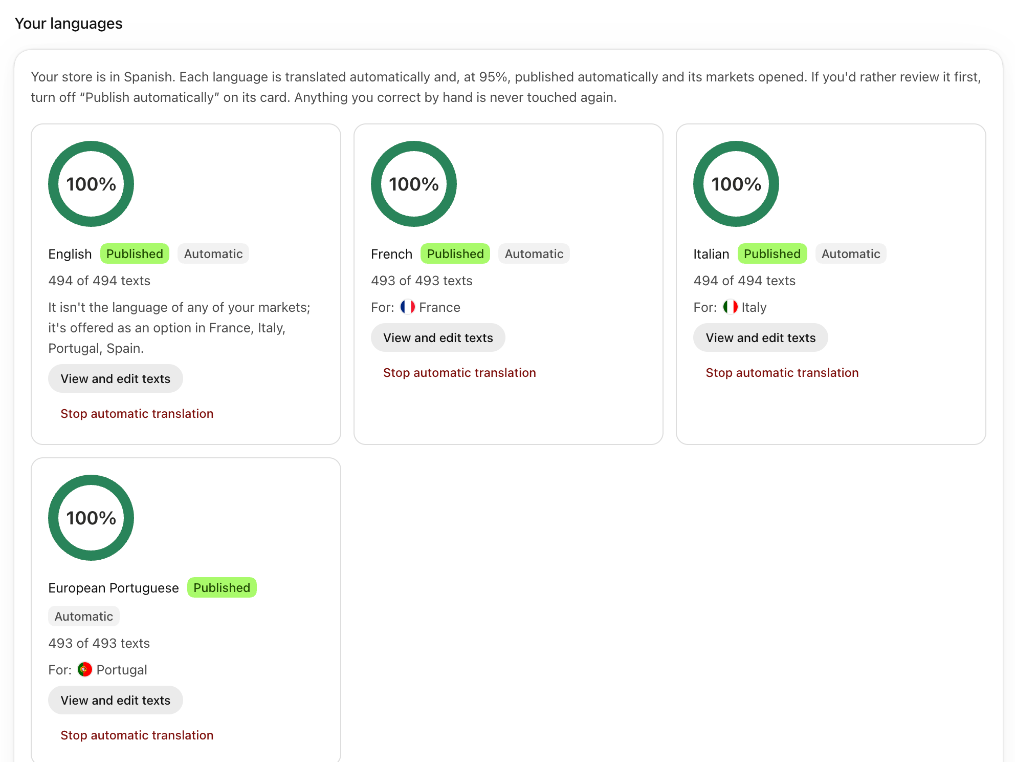
What happens when you publish
- The language shows on your main address, with its prefix: for example,
/fr. - The markets whose countries speak it are opened, each with its own address: for example,
/fr-frfor France. See Markets and country addresses. - The app checks once what doesn't fit in each of those countries (measurements, prices, shipping…) and leaves the suggestions for you in “To review”. Nothing is applied on its own.
- The card changes to “Published”.
Good to know
- During the free trial, each language is published as soon as the first translation is done, with what's translated, even if something is missing: that way your customers already see your store in their language. If you turned off “Publish automatically once translated”, you publish it yourself. See The 14-day trial.
- By hand, you can't publish before 95% from the app. The percentage is counted over the texts in your store that the app translates, without emails or what Shopify already provides translated.
- What you corrected by hand is published as it is. The app doesn't touch it.
- The email for a language ready to publish is a notification: if you turned them off in “Settings”, under “Email notifications”, you don't get it. The card shows it anyway.
- So your customers can switch languages, it's a good idea for your store to show a selector. See Do you need a language selector?.
- To remove a language from your store, use “Stop automatic translation” and tick the box to unpublish it. See Stop automatic translation for a language.