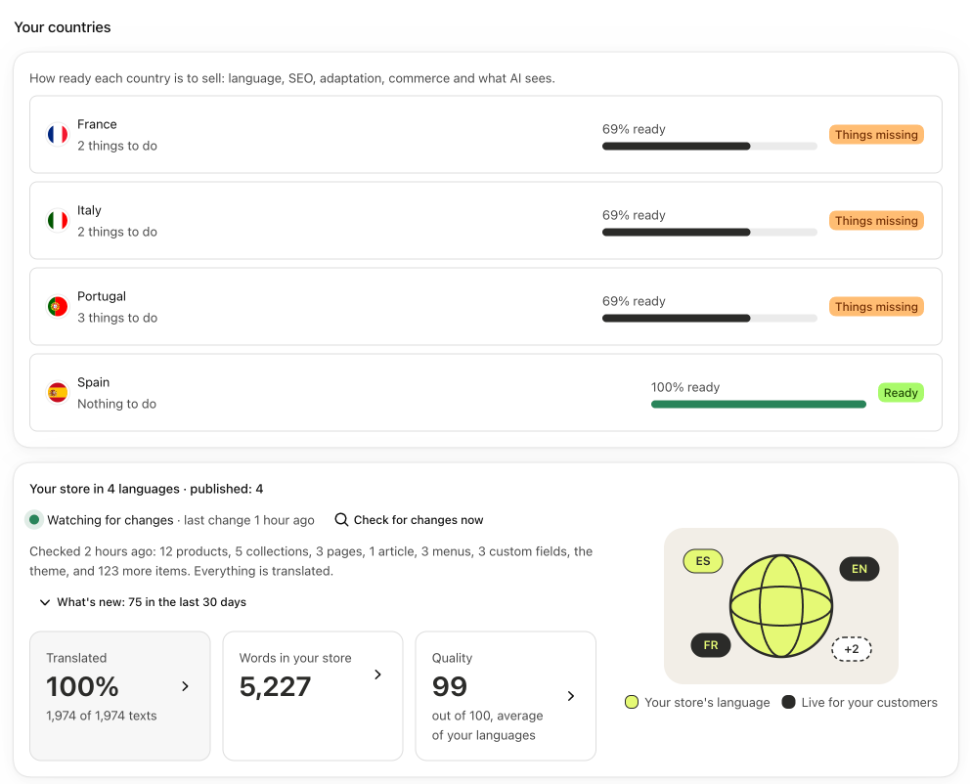
Each country has a score from 0 to 100 that tells you how ready it is to sell there. It doesn't only check whether it's translated: also whether Google shows it in its language, whether the texts fit, whether people can buy there and what the AI gets. Each pending item comes with its button.
See it
- On “Home”, “Your countries” shows the 5 least ready countries. Click one to open its page.
- To see all of them, open “Languages and markets” and, on the country's card, click the link with its name.
- At the top is the score with its tag:
- “Ready”, with 90 or more;
- “Almost ready”, from 70 to 89;
- “Things missing”, below 70.
- Next to it, the first thing worth doing, with its button.
- Below are the five blocks. Open the ones with something pending.
The five blocks
- “Language” (30 points): that the country shows in its language and how much is translated.
- “SEO” (20): that Google shows the version in its language there and that the SEO titles and descriptions fit.
- “Adapted to the country” (20): what doesn't fit there, like measurements, prices or shipping. See Adapt texts to each country.
- “Local commerce” (20): whether you ship there, whether they pay in their currency, whether your policies are in their language, and what's usual for returns.
- “Visible to AI” (10): whether the AI assistants that shop for your customers get your products in that language.
Good to know
- If people can't buy there because you don't ship there, or if the country doesn't show in its language yet, the score doesn't go above 69 even if it adds up to more. The header tells you how much it would add up to.
- The app doesn't change any of your store settings. In “Local commerce”, “Go to Shopify” takes you to that setting so you can change it yourself.
- The returns item is a reminder of what's usual in the EU (14 days), not legal advice. It doesn't take off points.
- “Visible to AI” looks at a sample of 5 products.
- This score is per country. The one in “Quality” is per language: The quality score.